

M4VGear 5.5
Unlocks DRM from iTunes videos and converts them to video & audio formats
Program info
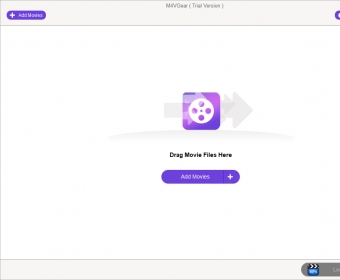
M4VGear is a video conversion tool for iTunes DRM-protected media. As you most probably know, TV shows and movies purchased from iTunes have certain restrictions; due to the DRM protection, these videos can only be played on Apple devices and have limited playback times. What M4VGear does is remove these restrictions to let you enjoy your favorite videos on any device, converting them to unprotected formats.
The application has the ability to remove DRM protection from M4V videos by converting movies, TV shows, and music videos into several formats, such as MP4, AVI, MOV, 3GP, MPEG, and even audio formats. With its batch conversion capabilities, it can process several videos in one single operation, saving you lots of time.
M4VGear has a simple and intuitive interface that makes the conversion process easy to carry out. Using the Add button, you can easily load videos to the conversion list. After that, you need to choose an output profile. The list of profiles is extensive and includes presets for all the popular mobile devices, like Android, Nokia, Blackberry, Samsung, game consoles, as well as general video types. The application also gives you the option to customize the output profile, letting you define the video and audio parameters manually. In addition to that, it allows you to clip your videos before conversion.
This tool offers a simple yet efficient solution to remove protection from iTunes videos, generating DRM-free video files that can be stored on any device and shared across platforms. The application proved to be solid and stable, making the conversion process fast and non-complicated.
Pros
- Very fast conversion
- Several output profiles supported
- Supports batch conversions
- Option to clip videos before conversion
- Easy to use
Cons
- None that I can see
Details
Extensions

No information available
The data will be available later.



Comments